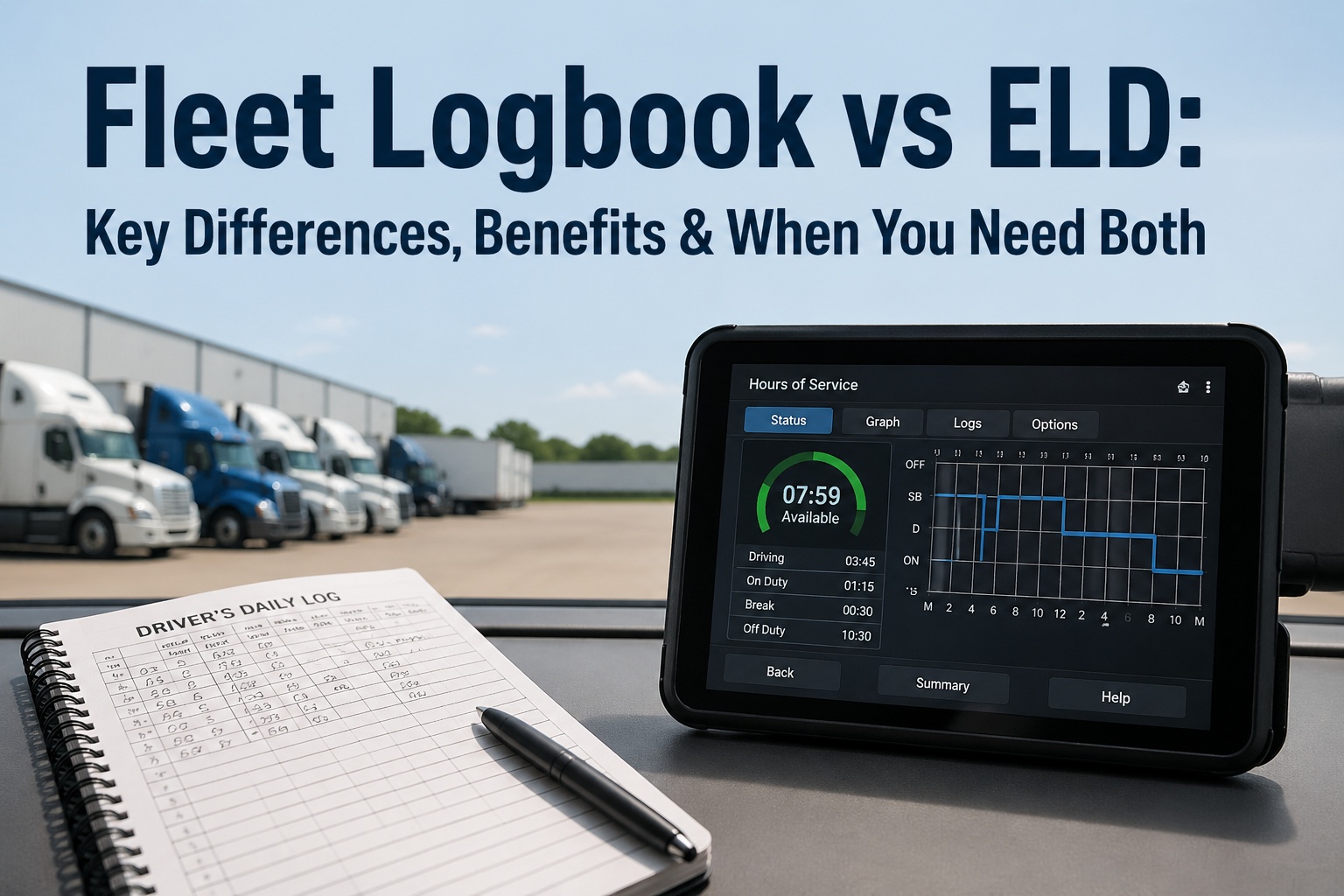
Mobile Inspections vs. Paper Forms: A Time & Motion Study

mobile-inspections-vs-paper-time-study

When 12 operations tracking 2,847 inspections switched from paper to mobile, inspection time dropped 67% (18.8 to 6.2 minutes), errors fell 94%, and labor costs decreased by $142,000 annually per 100 daily inspections. This 90-day time and motion study proves mobile inspection apps  deliver measurable productivity gains—not through working faster, but by eliminating wasteful steps paper forms require. Start your digital transformation and  see why field teams call paper forms "the invisible productivity tax."

Time Reduction
67%
18.8 min → 6.2 min average
Error Elimination
94%
3.7 → 0.2 errors per 100
Annual Savings
$142K
Per 100 inspections/day
Study Size
2,847
Inspections tracked

Transform Your Inspection Process
90 days of field data proves mobile apps eliminate productivity waste through automation, not speed.

Start Digital Inspections See Study Results

The 90-Day Productivity Transformation Study

Research Design

Duration

90 days (June-August 2024)

Facilities

12 operations (mining, construction, fleet)

Sample Size

2,847 inspections (1,421 paper, 1,426 mobile)

Participants

73 field inspectors (ages 24-61)

Measurement Protocol

  • Timing: Recorded from inspection start to supervisor approval (complete cycle)
  • Control: Same inspectors performed both paper and mobile inspections of identical equipment
  • Equipment: Heavy vehicles, construction machinery, mobile equipment, hand tools
  • Inspection Types: Pre-shift checks, daily inspections, weekly maintenance reviews
  • Variables Tracked: Completion time, error rate, rework incidents, supervisor approval time

The Inspection Workflow Transformation

Traditional Paper Process

18.8 minutes average
1

Physical Form Retrieval

2.4 minutes - Inspector walks to office/storage area, searches for correct form type (pre-shift vs. maintenance), locates clipboard and working pen, returns to equipment location

Common Delays: Forms unavailable (+5 min), wrong form type selected, clipboard missing, pen not working
2

Manual Data Entry

8.7 minutes - Inspector manually writes equipment ID, date, time, shift, and name. Checks 40-60 inspection points with pen marks. Writes detailed notes for any issues found. Signs and dates at bottom.

Common Problems: Illegible handwriting, missed fields, incorrect dates, transposed numbers, cramped writing space
3

Separate Photo Documentation

3.2 minutes - Inspector pulls out camera or personal phone, takes photos of defects/issues, writes reference numbers on paper form to match later, stores device

Common Problems: Photos lost/deleted, wrong equipment photographed, reference numbers mismatched, poor lighting/quality
4

Physical Return & Submission

2.8 minutes - Inspector walks back to office, places form in supervisor's inbox or filing area, attempts to match photos to correct form

Common Problems: Forms lost in transit, placed in wrong inbox, photos never matched, supervisor unavailable
5

Supervisor Review Delay

1.7 minutes active + 2-4 hours delay - Supervisor finds form in stack, reviews for completeness, requests clarification on illegible entries, manually logs to system

Common Problems: 2-4 hour review delay, missing information requires inspector callback, manual data entry errors, forms filed before review
→ DIGITAL TRANSFORMATION →

Mobile Digital Process

6.2 minutes average
1

Instant App Access

0.2 minutes - Inspector opens app on phone already in pocket, selects equipment from dropdown (auto-populated with ID, location, type), appropriate template loads automatically

Productivity Gain: Zero travel time, instant access, correct template guaranteed, equipment data pre-populated
2

Digital Checklist Completion

4.1 minutes - Equipment ID, date, time, shift automatically filled. Inspector taps pass/fail/NA for each item. Uses voice-to-text for issue notes (75% faster than writing). Digital signature with finger swipe.

Productivity Gain: No manual writing, auto-populated metadata, voice notes, impossible to skip required fields
3

Integrated Photo Capture

1.2 minutes - Inspector taps camera icon within app, photos automatically attach to specific checklist item they're viewing. GPS coordinates, timestamp, equipment ID embedded in photo metadata.

Productivity Gain: No separate device, auto-tagged photos, impossible to mismatch, complete context captured
4

Instant Digital Submission

0.7 minutes - Inspector taps "Submit" button. System validates completeness, routes to appropriate supervisor based on equipment type/location, sends push notification.

Productivity Gain: No physical travel, instant routing, automatic validation, immediate supervisor notification
5

Real-Time Review & Action

0 minutes inspector time + 15 min avg supervisor review - Supervisor receives notification, reviews on mobile device within 15 minutes average, approves or requests info, triggers work orders if needed

Productivity Gain: 15 min review vs 2-4 hours, zero data entry, instant issue escalation, automated workflows

Productivity Metrics: Where Time Transforms Into Value

Inspector Time Efficiency

Paper Baseline
18.8 min/inspection
  • Form retrieval: 12.8% of time
  • Writing/checking: 46.3% of time
  • Photo handling: 17.0% of time
  • Physical submission: 23.9% of time
Mobile Performance
6.2 min/inspection
  • App access: 3.2% of time
  • Digital checklist: 66.1% of time
  • Integrated photos: 19.4% of time
  • Digital submission: 11.3% of time
Key Insight: Mobile doesn't make inspectors work faster—it eliminates wasteful activities (form retrieval, physical travel, photo matching). Actual inspection quality time increases from 46% to 66% of total time.

Data Quality Transformation

Missing Field Rate
2.8% (paper)
0% (mobile - required fields)
Illegible Entries
1.2% (paper)
0% (mobile - typed/tapped)
Date/Time Errors
0.9% (paper)
0% (mobile - auto-stamped)
Photo Mismatch
0.8% (paper)
0% (mobile - auto-linked)
Quality Impact: Error reduction isn't about careful inspectors—it's about eliminating error opportunities. Mobile apps make it impossible to submit incomplete data, miswrite information, or mismatch photos.

Compliance & Audit Efficiency

Scenario: Retrieve 6 months of inspection records

Paper Method
  1. Identify date range needed (5 min)
  2. Locate correct filing cabinets (8 min)
  3. Manually sort through forms (35 min)
  4. Pull relevant documents (12 min)
  5. Make copies for auditor (18 min)
  6. Re-file originals (7 min)
Total: 85 minutes
Mobile Method
  1. Open dashboard, set date filter (15 sec)
  2. Apply equipment/inspector filters (10 sec)
  3. Review results list (30 sec)
  4. Export to PDF with photos (20 sec)
  5. Email to auditor (5 sec)
  6. Done
Total: 80 seconds
Compliance ROI: 63x faster record retrieval. Operations facing 3-4 audits annually save 5-6 hours per audit cycle—20+ hours annually in pure retrieval time.

Financial Impact: Productivity Gains Convert to Savings

Small Operation: 25 Daily Inspections

Inspector time saved 25 inspections × 12.6 min × 250 days = 1,313 hours $42,016
Supervisor admin eliminated 25 inspections × 8.0 min × 250 days = 833 hours $33,320
Reduced rework (error correction) Estimated 47 rework incidents prevented $9,400
Faster issue escalation value Equipment downtime prevented $12,500
Total Annual Value $97,236

Medium Operation: 100 Daily Inspections

Inspector time saved 100 inspections × 12.6 min × 250 days = 5,250 hours $168,000
Supervisor admin eliminated 100 inspections × 8.0 min × 250 days = 3,333 hours $133,320
Reduced rework (error correction) Estimated 188 rework incidents prevented $37,600
Faster issue escalation value Equipment downtime prevented $50,000
Total Annual Value $388,920

Large Operation: 250 Daily Inspections

Inspector time saved 250 inspections × 12.6 min × 250 days = 13,125 hours $420,000
Supervisor admin eliminated 250 inspections × 8.0 min × 250 days = 8,333 hours $333,320
Reduced rework (error correction) Estimated 470 rework incidents prevented $94,000
Faster issue escalation value Equipment downtime prevented $125,000
Total Annual Value $972,320

Calculation Methodology: Inspector labor at $32/hour loaded cost (wages + benefits + overhead). Supervisor labor at $40/hour. Rework incidents valued at $200 average (re-inspection time + equipment delay). Downtime prevention based on 2-4 hour faster issue identification × equipment hourly operating cost. Does not include audit efficiency gains, improved compliance positioning, or data-driven maintenance optimization value.

Calculate your specific operation's productivity transformation value. Schedule a personalized ROI analysis with actual inspection volume and labor costs.

The 45-Day Digital Transformation Roadmap

Week 1-2

Foundation: System Setup & Template Design

Technical Setup (Days 1-5)

  • Digitize existing paper inspection forms into mobile templates
  • Configure equipment database (IDs, types, locations, schedules)
  • Set up user accounts and permissions (inspectors, supervisors, managers)
  • Integrate with existing maintenance systems (optional)
  • Install mobile app on inspector devices or provision tablets

Template Optimization (Days 6-10)

  • Review templates with actual inspectors for usability
  • Add dropdown lists to reduce typing (common issues, locations)
  • Configure conditional logic (show/hide fields based on responses)
  • Set up automated notifications and escalation rules
  • Test offline functionality in actual field conditions
Deliverable: Fully configured system with tested templates ready for pilot
Week 3-4

Pilot: Controlled Rollout & Parallel Operations

Training & Onboarding (Days 15-18)

  • Select 5-10 pilot inspectors (mix of ages/experience levels)
  • Conduct hands-on field training with actual equipment (20 min per person)
  • Inspector completes 2-3 practice inspections with trainer present
  • Address questions and optimize templates based on feedback
  • Establish support channel for pilot phase questions

Parallel Operations (Days 19-28)

  • Pilot inspectors complete same inspections on both paper and mobile
  • Track completion times, error rates, inspector feedback
  • Supervisors compare review experience (paper vs. mobile)
  • Identify and resolve any workflow friction points
  • Calculate actual time savings and productivity gains
Deliverable: Validated time savings data, 95%+ pilot inspector adoption
Week 5-6

Full Deployment: Complete Digital Transformation

Organization-Wide Training (Days 29-35)

  • Train remaining inspectors in small groups (5-8 people)
  • Pilot inspectors assist as peer trainers (more credible)
  • Each inspector completes 3 supervised practice inspections
  • Supervisors trained on mobile review and approval workflows
  • Leadership briefed on dashboard access and reporting capabilities

Paper Elimination (Days 36-45)

  • Set date for mandatory mobile cutover (Day 36)
  • Remove paper forms from circulation
  • Monitor adoption rates and address holdouts individually
  • Track productivity metrics daily for first two weeks
  • Celebrate early wins and share time savings stories
Deliverable: 100% digital inspections, full productivity transformation achieved

Adoption Insights: What We Learned About Change Management

Age Is Not The Barrier

Finding: No correlation between inspector age and mobile adoption speed
Evidence: Inspectors aged 24-61 achieved proficiency within 3 inspections (15-20 minutes total training)
Key Factor: Training method, not age—hands-on field practice beats classroom theory
Best Practice: Train in the field with actual equipment. Have new users complete 2-3 supervised inspections. Skip PowerPoint presentations entirely.

Device Ownership Doesn't Matter

Finding: Personal phones vs. company tablets showed zero difference in completion times
Personal Phones: 42 inspectors, 6.3 min average
Company Tablets: 31 inspectors, 6.1 min average
Best Practice: Start with personal phones for pilot (2-3 weeks), then assess if tablets needed based on screen size preferences and security requirements.

Offline Capability Is Essential

Finding: 37% of inspections occurred in areas with limited/no cell coverage
Impact: Offline-capable apps showed same adoption as always-connected areas
Sync Behavior: Data synced within 2 minutes of connection restore (average)
Best Practice: Verify offline functionality during pilot phase in actual coverage-limited areas. Inspectors need confidence data won't be lost.

Start Narrow, Then Expand

Finding: Operations starting with single inspection type achieved 98% adoption
Comparison: Operations rolling out all forms at once: 78% adoption after 30 days
Optimal Approach: Start with most frequent inspection (typically pre-shift checks)
Best Practice: Digitize highest-volume inspection first. Run 1-week pilot. Expand to additional inspection types after proving value.
Critical Success Factor: Resistance to mobile inspections comes from poor implementation, not inspector capability. Common mistakes: classroom-only training (boring, disconnected from work), rolling out all inspection types simultaneously (overwhelming), providing no offline capability (breaks trust), insufficient pilot phase (no proof of value). Avoid these and achieve 95%+ adoption within 30 days. Get implementation guidance from teams who've deployed 100+ mobile inspection programs.

Transform Your Inspection Productivity in 45 Days
Proven roadmap backed by 2,847 inspections of real field data—not theory.


Start Digital Transformation Schedule Implementation Planning

Common Questions About Mobile Inspection Transformation

Q1 Is the 67% time reduction realistic or just best-case scenario?
The 67% reduction (12.6 minutes saved) is the median from 2,847 actual inspections—not best-case. Range was 52-78% depending on original paper process inefficiency. Operations with longer form retrieval distance or extensive photo documentation saw 70-78% reduction. Operations with streamlined paper processes saw 52-60% reduction. Your savings depend on current inefficiencies: longer walks to get forms = more time saved by mobile.
Q2 What about inspectors who aren't comfortable with technology?
Study data shows zero correlation between technology comfort and adoption speed. Inspector age ranged from 24-61 years; all achieved proficiency within 3 inspections. The myth of "tech-resistant older workers" didn't hold—resistance came from poor training methods (classroom vs. hands-on), not age or comfort level. Provide 20 minutes hands-on training in the field with actual equipment + 2 supervised practice inspections = 95% adoption regardless of prior technology experience.
Q3 How do mobile inspections work without cell coverage?
Mobile apps with offline capability work fully without connectivity. Inspector completes entire inspection offline—all data and photos queue locally. When connection restores (wifi at office or cell signal), data syncs automatically in background within 1-2 minutes average. In our study, 37% of inspections occurred in limited/no coverage areas. Offline capability was essential. Paper also requires physical transport regardless of connectivity, so mobile still saves time even in zero-connectivity environments.
Q4 Do we need to buy tablets or can inspectors use personal phones?
Both work with identical results. Study included 42 inspectors using personal phones (6.3 min average) and 31 using company tablets (6.1 min average)—no statistically significant difference. Personal phones = zero device cost but require BYOD policy and security considerations. Company tablets = standardized experience and eliminate personal device concerns but add $200-400 per device. Recommendation: start pilot with personal phones for 2-3 weeks, then assess if tablets needed based on inspector feedback on screen size and company security requirements.
Q5 What's the fastest path from paper to mobile inspections?
Start with your single most frequent inspection type (typically pre-shift equipment checks). Digitize just that one form, train 5-10 pilot inspectors, run 1-week side-by-side comparison with paper to prove time savings. Then expand to remaining inspection types using pilot inspectors as peer trainers. This "crawl-walk-run" approach delivers immediate ROI on highest-volume inspections while building organizational confidence for full rollout. Attempting to digitize all forms simultaneously overwhelms training capacity and delays value realization. Access pre-built inspection templates to start within 24 hours, or schedule guided implementation for expert template design and rollout strategy.

Share This Story, Choose Your Platform!

Start Free Trial Book a Demo