Complete Daily Reporting in Just 5 Minutes
Empower your operators with a mobile-first daily reporting solution. Log work hours, machine usage, fuel entries, downtime, and safety inspections digitally. Get consolidated weekly PDF reports and instant notifications when issues are flagged.
Complete Daily Reporting in 5 Simple Steps
From start of shift to weekly reports - see how HVI streamlines the entire operator reporting workflow
Start Shift
Operator logs in, selects vehicle, records shift start time
Pre-Trip DVIR
Complete safety inspection checklist, flag any issues
Log During Shift
Record fuel fill-ups, downtime, and any incidents
End Shift Report
Log meter reading, work hours, post-trip DVIR, submit
Auto Weekly PDF
System generates weekly reports, alerts on issues
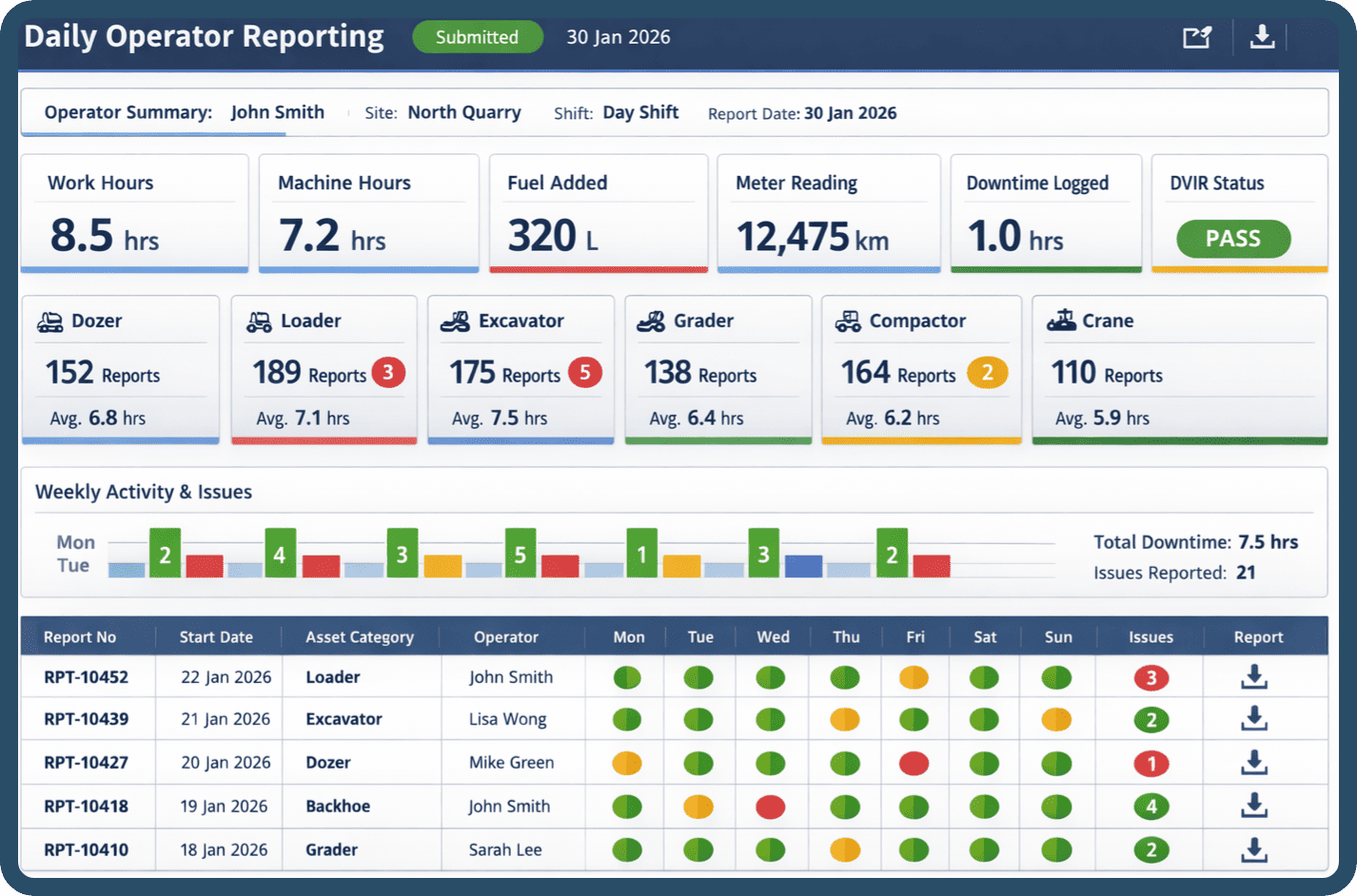
Everything Captured in One Daily Report
All the data your fleet needs, collected automatically
Work Hours
Start/End TimesMachine Hours
Operating TimeFuel Logs
Qty & CostMeter Reading
Odometer/HoursDowntime
BreakdownsDVIR Status
Safety CheckDesigned for Operators in the Field
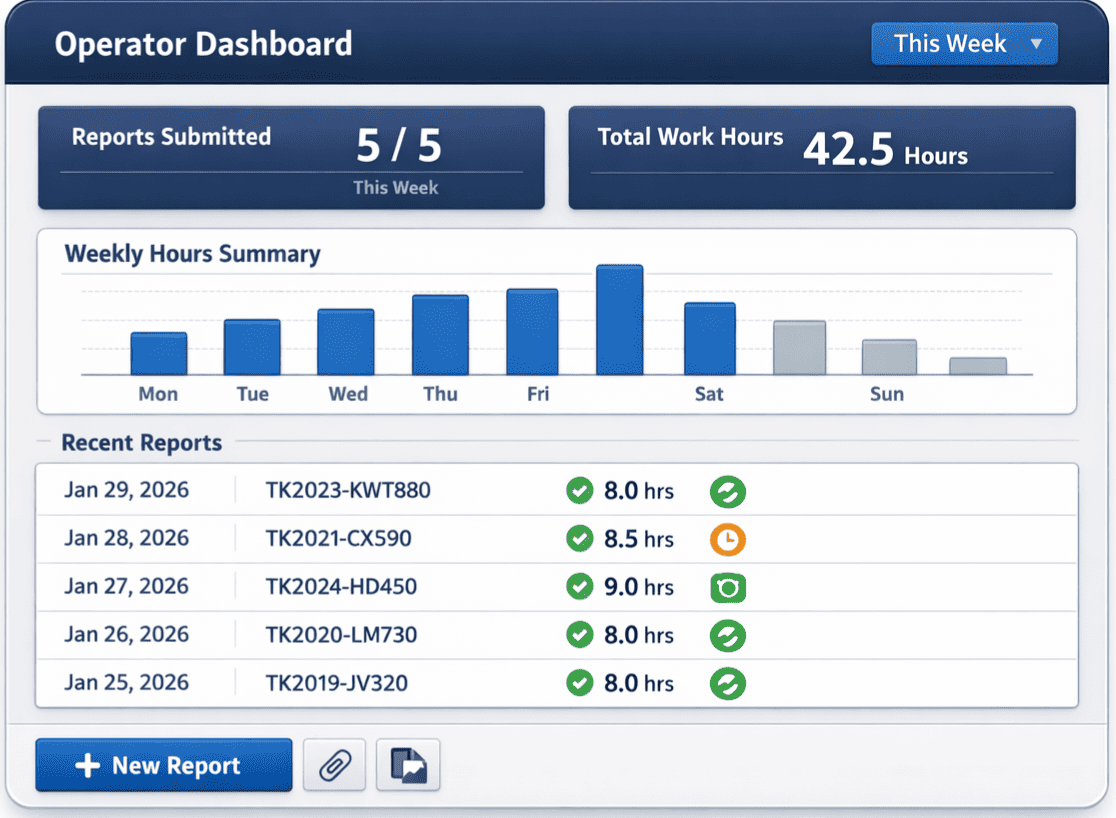
HVI's Daily Operator Reporting is built mobile-first for real-world use. Operators can complete their entire daily report in just 5 minutes, right from their smartphone or tablet - even in areas with limited connectivity.
Mobile-First Design
Large buttons, simple forms, and intuitive navigation optimized for field use
Offline Capable
Complete reports offline, auto-sync when connection is restored
5-Minute Completion
Streamlined workflow lets operators complete reports in minutes, not hours
Photo Attachments
Snap and attach photos directly to reports for visual documentation
Automated Weekly PDF Reports for Every Vehicle
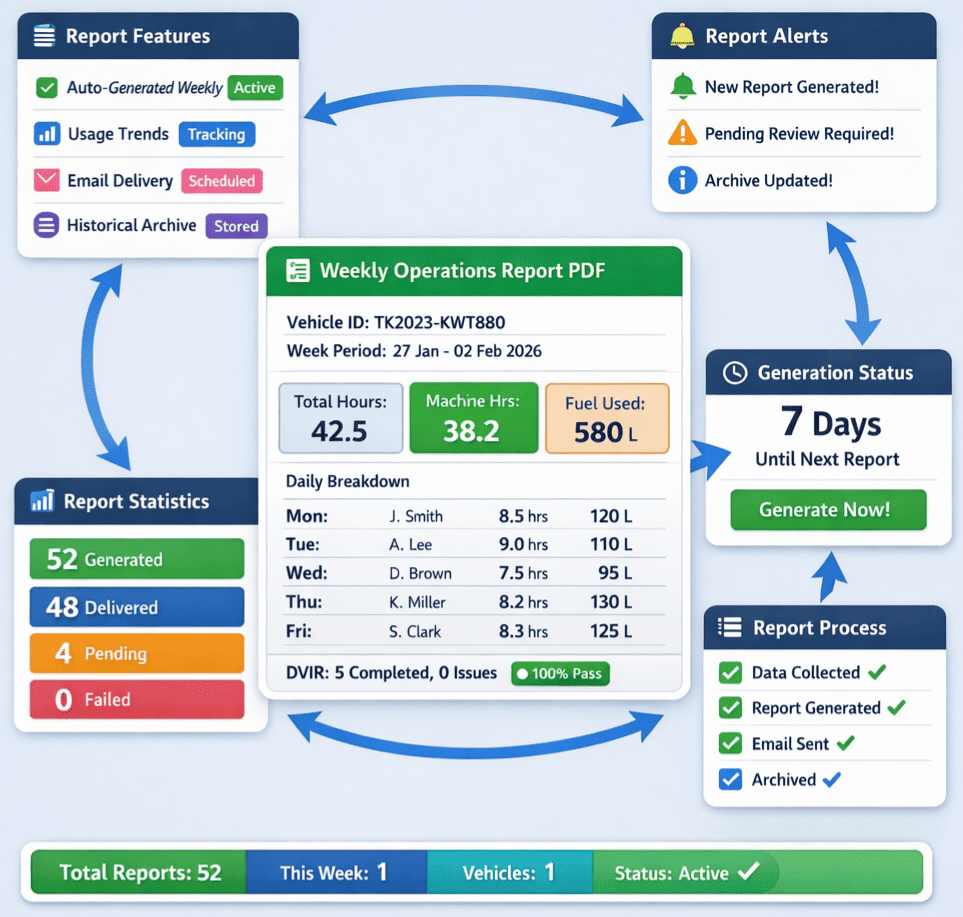
Stop chasing paper logs. HVI automatically consolidates all daily operator reports into comprehensive weekly PDF summaries for each vehicle. Get complete visibility into fleet utilization, work hours, and operational data.
Auto-Generated Weekly
PDF reports generated automatically every week for each vehicle
Usage Trends
Track machine hours, fuel consumption, and work patterns over time
Email Delivery
Reports automatically emailed to managers and stakeholders
Historical Archive
All reports stored and searchable for compliance and audits
Immediate Notifications When Issues Are Flagged
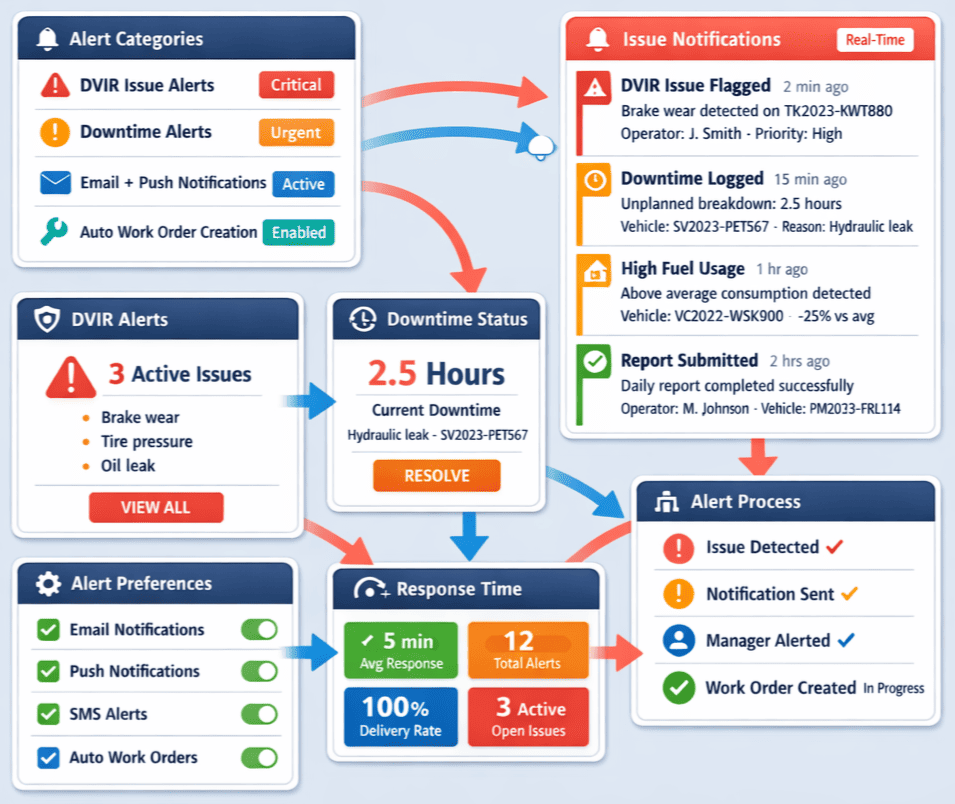
Don't wait for paper reports to reach your desk. When operators flag issues during their daily reports, fleet managers and maintenance teams receive instant app notifications and emails - enabling faster response and reduced downtime.
DVIR Issue Alerts
Instant notification when safety defects are reported during inspections
Downtime Alerts
Get notified immediately when operators log unplanned breakdowns
Email + Push Notifications
Choose how you want to receive alerts - email, app push, or both
Auto Work Order Creation
Critical issues can automatically trigger maintenance work orders
Transform Daily Reporting from Burden to Asset
Eliminate paperwork, improve compliance, and gain real-time visibility into fleet operations
Eliminate Paper Logs
Replace messy paper forms with digital reports. No more lost logs, illegible handwriting, or filing cabinets full of records.
FMCSA/DOT Compliance
Stay compliant with DVIR requirements. Digital records are stored securely and easily accessible for audits and inspections.
Save Time Daily
Operators complete reports in 5 minutes vs 15+ with paper. Managers get instant access vs waiting for paperwork to arrive.
Real-Time Visibility
See operator activity as it happens. Know who's working, which vehicles are in use, and spot issues before they escalate.
Accurate Job Costing
Track machine hours and fuel by job or project. Get accurate data for billing, cost allocation, and profitability analysis.
Operator Accountability
Digital signatures and timestamps create clear accountability. Know exactly who operated which vehicle and when.
Ready to Digitize Your Daily Operator Reporting?
Join 5,000+ fleets who have eliminated paper logs and transformed daily reporting into a competitive advantage. Get started in minutes with no credit card required.