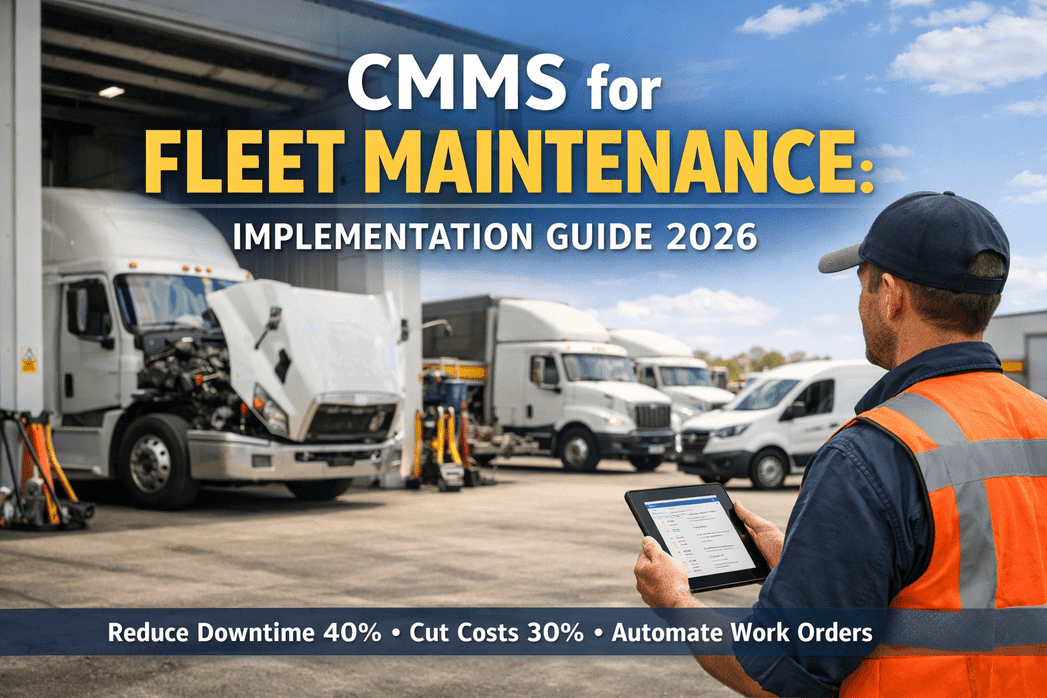
Every fleet manager has lived the same nightmare—a truck breaks down mid-route, a critical work order gets lost on a sticky note, or a DOT auditor asks for maintenance records that are buried across three spreadsheets and a filing cabinet. These aren't edge cases. In 2026, 82% of fleet operators still rely on manual tracking, and reactive repairs cost 4–5x more than planned maintenance. A CMMS (Computerized Maintenance Management System) built for fleet operations eliminates this chaos by automating work orders, scheduling preventive maintenance by mileage or engine hours, and keeping every inspection and repair audit-ready in one digital platform. This implementation guide walks you through exactly how fleet CMMS works, what results to expect, and how to get your operation running on a modern system—fast. Sign up for HVI to start with an inspection-first fleet CMMS, or book a demo to see it configured for your fleet.
How CMMS Transforms Fleet Maintenance
Fleet CMMS centralizes every maintenance touchpoint—preventive schedules, work orders, inspections, parts inventory, compliance records, and cost analytics—into a single cloud-accessible system. It replaces the disconnected patchwork of spreadsheets, paper logs, and verbal handoffs that most fleets still operate on, and turns your maintenance shop from a reactive cost center into a data-driven operation.
The Real Cost of Not Having a Fleet CMMS
Before diving into implementation, it helps to understand what manual fleet maintenance actually costs your operation. These are not hypothetical numbers—they are documented across fleet operations running without a CMMS in 2025–2026:
Average cost of unplanned vehicle downtime—including towing, emergency repairs, missed deliveries, and driver detention.
Emergency repairs cost 4–5x more than planned maintenance—plus 15–30% premium on rush-ordered parts.
DOT fines for missing inspection documentation, unresolved DVIR defects, or lapsed annual inspections.
Vehicles with deferred maintenance lose 3–5 years of productive life—costing $40,000–$120,000 per premature replacement.
Every day without a CMMS is another day of preventable costs. Start your free HVI trial and begin automating your fleet maintenance today—setup takes under 10 minutes.
5-Step Fleet CMMS Implementation Roadmap
Implementing a fleet CMMS doesn't need to be a months-long IT project. With the right platform, most fleets go from paper-based to fully digital within days, not months. Here is the proven roadmap used by high-performing fleet operations:
Identify where breakdowns happen most, which vehicles cost the most to maintain, and where compliance gaps exist. Gather existing records from spreadsheets, paper logs, and shop notes. This baseline tells you exactly what the CMMS needs to fix first.
Timeline: 1–3 daysUpload your fleet list—VINs, vehicle types, current mileage/hours. Configure PM triggers for each asset type: mileage-based for trucks, hour-based for equipment, calendar-based for trailers. Set up inspection templates by vehicle class.
Timeline: 1–2 daysDrivers download the mobile app and begin digital pre-trip/post-trip inspections with photo verification. Technicians receive automated work orders directly on their devices. Minimal training needed—guided workflows walk everyone through the process.
Timeline: 1–2 daysTurn on defect-to-work-order automation so inspection findings instantly create prioritized repair tickets. Enable PM auto-scheduling, parts tracking, and compliance alerts. The system begins building per-vehicle maintenance histories from day one.
Timeline: Same dayReview dashboards for cost-per-mile, fleet uptime, PM compliance rates, and work order completion trends. Use data to refine PM intervals, identify problem vehicles, and prove ROI to leadership. Scale the system as your fleet grows.
Timeline: Ongoing from Week 2What Fleet CMMS Automates for You
The power of a fleet CMMS lies in what it removes from your plate. Every manual task that slows your shop down, creates errors, or lets things fall through the cracks gets replaced by an automated workflow that runs without intervention:
Work orders auto-generate when mileage, engine hours, or calendar thresholds are reached. Different triggers for trucks vs. equipment vs. trailers—all managed from one dashboard.
When a driver flags a defect during a DVIR, the CMMS instantly creates a prioritized work order, notifies the maintenance team, and blocks dispatch until the repair is certified.
DVIRs, annual inspection records, repair certifications, and driver qualifications are stored with timestamps and digital signatures—audit-ready at all times without manual filing.
Cost-per-mile, maintenance spend by vehicle, technician productivity, downtime trends, and repair-vs-replace recommendations update in real time as your team works.
See automated work orders and inspection workflows in action. Book a personalized demo and we will configure it for your fleet type and size—no obligation.
Before vs. After: Fleet Maintenance with CMMS
The difference between manual fleet maintenance and CMMS-driven operations is not incremental—it is transformational. Here is what changes when you implement a fleet CMMS:
- PM schedules tracked in spreadsheets—intervals frequently missed
- Work orders on paper or whiteboards—lost, duplicated, or ignored
- Driver inspections pencil-whipped with no photo evidence
- Parts ordered reactively at emergency premiums
- Compliance records scattered—audits trigger weeks of scrambling
- No visibility into per-vehicle maintenance costs
- Breakdowns discovered when drivers call from the roadside
- PM work orders auto-generated by mileage, hours, or calendar
- Digital work orders tracked from creation to completion with full history
- Photo-verified DVIRs with GPS timestamps—no shortcuts possible
- Parts linked to work orders with inventory tracking and reorder alerts
- All compliance docs centralized and audit-ready in one click
- Real-time cost-per-mile and TCO dashboards per vehicle
- Developing issues caught during inspections—repaired before failure
Fleet CMMS ROI: What to Expect
The return on investment from fleet CMMS is not theoretical—it is documented across thousands of fleet deployments. Here is how the savings stack up for a typical 50-vehicle fleet:
Want a custom ROI projection for your fleet size? Schedule a free consultation—we will calculate your potential savings based on your actual fleet data.
Why HVI Is Built for Fleet CMMS
Most CMMS platforms were designed for factories and facilities. HVI was purpose-built for heavy vehicle fleets—where inspections are the foundation of compliance, and the gap between a defect and a work order determines whether your truck makes it to the next stop or breaks down roadside.
Defects found during DVIRs automatically create prioritized work orders—zero manual handoffs between driver and shop.
Required photo documentation with GPS timestamps eliminates pencil whipping and creates audit-proof inspection records.
Full functionality without cell service—critical for construction sites and rural routes. Syncs automatically when connectivity returns.
No hardware, no IT project, no months-long implementation. Download, configure templates, and start inspecting immediately.
Frequently Asked Questions
Stop Reacting. Start Managing.
Every day your fleet runs on spreadsheets and paper is another day of missed PM intervals, preventable breakdowns, and compliance risk. HVI gives you a fleet CMMS purpose-built for heavy vehicles—with automated work orders, digital DVIRs, compliance tracking, and real-time cost analytics. Setup takes minutes, not months.
No credit card required. No hardware needed. Operational in under 10 minutes.