Your mechanic asks "When was the last oil change?" and you can't answer. Maintenance records are scattered across paper receipts, spreadsheets, and driver memories. Without systematic tracking, you can't prove compliance or plan preventive maintenance. A proper maintenance logbook captures every service, repair, and inspection in one place. Get your free digital logbook template and start tracking today.
62%
Of Fleets Lack Complete Maintenance Records
$2,400
Annual Cost Of Repeat Or Missed Services
35%
More Breakdowns Without Service History
DOT Fine
$1,000+ For Missing Maintenance Records
Free Vehicle Maintenance Logbook Template
Download our Excel/PDF template or start tracking digitally with HVI's automated logbook system.
Get Digital Template
See Demo
Why You Need A Maintenance Logbook
- Missing service records - Can't prove maintenance for warranty or audits
- Repeat services - Pay twice for same work due to lost records
- Missed preventive maintenance - No alerts for upcoming services
- Compliance failures - DOT violations for incomplete records
Result: Higher costs, more breakdowns, audit failures
- Complete service history - Every repair documented with dates and costs
- Prevent duplicate work - Know exactly what was done and when
- Scheduled reminders - Never miss oil changes or inspections
- Audit-ready records - Instant proof of compliance for DOT
Result: Lower costs, fewer breakdowns, compliance confidence
What To Track In Your Maintenance Logbook
Track #1
Preventive Maintenance Services
Oil changes, filter replacements, fluid checks, tire rotations. Log date, mileage/hours, parts used, labor cost, next service due. Creates predictable maintenance schedule and prevents missed services.
Frequency:
Based on hours/miles or manufacturer schedule
Track #2
Repairs & Breakdowns
Unplanned repairs, component failures, emergency fixes. Document issue, root cause, parts replaced, downtime hours, total cost. Identifies recurring problems and high-cost vehicles requiring replacement.
Key Info:
What failed, why failed, cost to fix
Track #3
Safety Inspections
Pre-trip DVIRs, annual inspections, DOT compliance checks. Record inspection date, inspector name, defects found, repairs completed, sign-off. Proves compliance during audits and protects against liability.
Compliance:
Required for DOT audits and insurance claims
Free Maintenance Logbook Template Structure
| Section |
What To Include |
Why It Matters |
| Vehicle Information |
VIN, make/model, year, license plate, purchase date, mileage |
Identifies specific vehicle and baseline data |
| Service Schedule |
Manufacturer intervals, custom PM schedule, next service due dates |
Prevents missed maintenance and tracks compliance |
| Service History Log |
Date, mileage/hours, service type, parts used, labor cost, vendor |
Complete record of all maintenance performed |
| Inspection Records |
Pre-trip, annual, DOT inspections with dates and findings |
Proves compliance and tracks defects |
| Repair History |
Issue description, diagnosis, repair action, parts, cost, downtime |
Identifies patterns and recurring problems |
| Warranty Information |
Component warranties, expiration dates, claim procedures |
Ensures timely warranty claims filed |
How To Use Your Logbook Effectively
Log all maintenance immediately after completion
Include date, mileage, parts, labor, vendor
Attach receipts or work orders
Key: No service too small to document
→
Calculate next service due date/mileage
Set calendar alerts 500 miles early
Review upcoming services weekly
Result: Never miss preventive maintenance
→
Analyze maintenance costs per vehicle
Identify recurring repair patterns
Flag high-cost vehicles for replacement
Insight: Data-driven maintenance decisions
Real Fleet Examples
Problem: No maintenance records, repeat services, DOT violations
Implemented maintenance logbook system. Every service documented with receipts. Set calendar reminders for PM. Passed DOT audit with complete records.
Result: $14K annual savings from prevented duplicate work
Problem: Equipment failures from missed PM, no warranty tracking
Created digital logbook with automatic PM alerts. Caught warranty-eligible repairs before expiration. Reduced emergency breakdowns 47% through proactive maintenance.
Result: $27K recovered in warranty claims
Problem: Manual tracking across 94 vehicles, audit preparation took days
Switched to digital logbook platform. All service history centralized. Generated 12-month compliance report in 2 minutes for city audit.
Result: 40 hours saved per audit cycle
Critical Compliance Note: DOT requires maintenance records proving vehicles are properly maintained. Missing or incomplete logbooks can result in $1,000+ fines per violation during roadside inspections or audits. Your logbook is your proof—if it's not documented, you can't prove it happened.
See how digital logbooks ensure 100% compliance automatically.
Start Tracking Maintenance Today
Download our free template or use HVI's automated digital logbook with service reminders and compliance tracking.
Get Digital Logbook
Book Template
Frequently Asked Questions
Q
What information must be in a maintenance logbook?
At minimum: vehicle identification, service date, mileage/hours, service description, parts used, labor performed, vendor/technician name, and cost. For DOT compliance, include inspection records with dates and findings. More detail is better—you can't over-document maintenance.
Q
How long should I keep maintenance records?
DOT requires 1 year minimum for inspection records. Best practice: keep entire vehicle lifetime plus 3 years after disposal. Needed for warranty claims, resale value proof, liability defense, and historical cost analysis. Digital records make permanent storage easy.
Q
Can I use a simple Excel spreadsheet as my logbook?
Yes for small fleets (1-10 vehicles). Excel works if you're disciplined about updating it after every service. Limitations: no automatic reminders, manual calculations, no photo attachments, risk of file corruption or loss. For 10+ vehicles, digital platforms save significant time.
Q
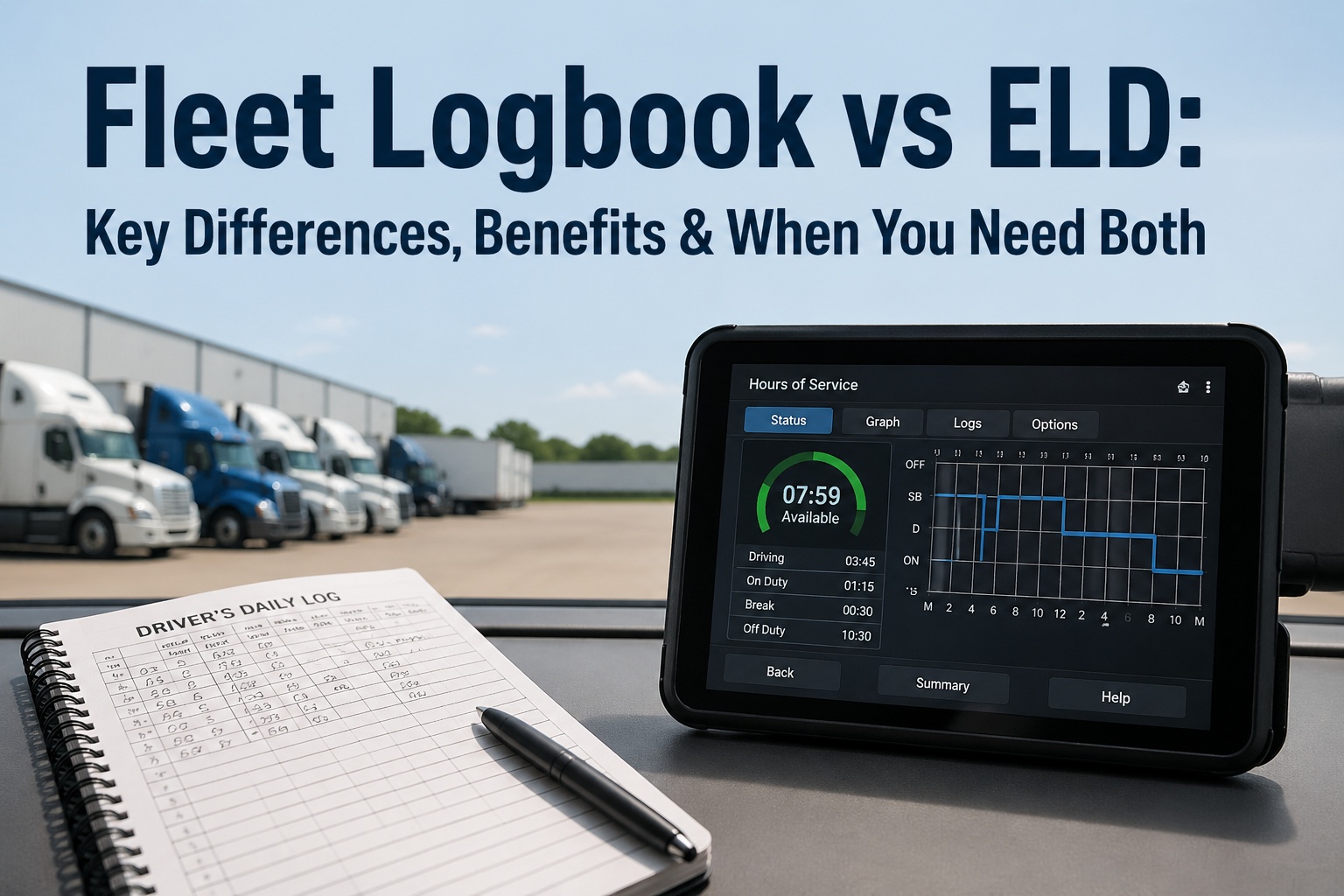
What's the difference between digital and paper logbooks?
Paper/Excel: Free, manual entry, no alerts, can be lost. Digital: Automated data entry from service invoices, instant PM reminders, cloud backup, photo attachments, integration with telematics and fuel cards. Small fleets can use paper; medium-large fleets need digital for efficiency and compliance.