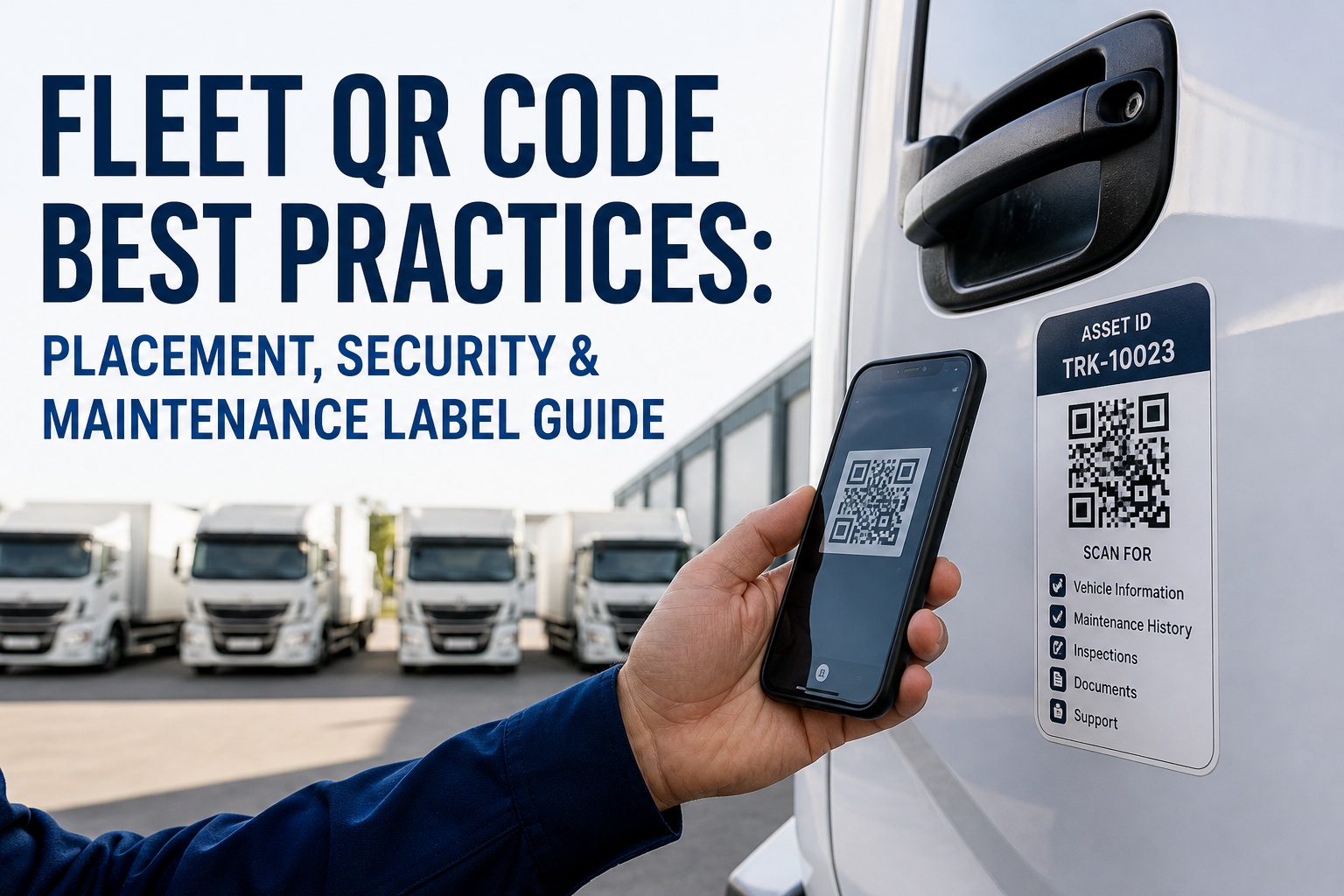
A QR code on a fleet vehicle is only as useful as the data it links to and only as durable as the label it's printed on. Fleets that get this right see 30% reductions in asset retrieval time, 20% drops in inventory discrepancies, and DVIR completion times under 5 minutes per vehicle. Fleets that get it wrong end up with peeling stickers behind dirty mud flaps, unreadable codes after one Midwestern winter, security exposures from unencrypted scan endpoints, and static codes that need to be reprinted every time an asset moves between depots. The difference is rarely the QR code technology itself — modern smartphones scan codes flawlessly. The difference is decisions made before any code gets printed: which placement zones survive a fleet's actual operating environment, which label materials hold up against fuel and brake dust, whether the codes are static or dynamic, and what security model controls who can access what data when a code is scanned. This article covers the fleet QR code playbook for 2026 — placement zones that work, materials that survive, security architecture that protects asset data, and the 5-step implementation timeline that takes fleets from zero to fully operational without the false starts that derail most rollouts. Start your free HVI trial to launch QR-code-driven inspections, maintenance, and asset tracking, or book a 30-minute demo to see the integrated workflow.
HVI generates dynamic QR codes for every vehicle, trailer, tool, and component in your fleet. One scan opens the asset profile, current DVIR, maintenance history, parts list, and work-order trigger — no manual lookup, no typing, no app required.
Static vs dynamic QR codes — the choice that determines everything
The most consequential decision in any fleet QR program comes before the first label is printed: static or dynamic codes. The wrong choice locks you into reprinting labels every time anything changes; the right choice makes your QR program future-proof.
- Data baked into the code at generation
- Cannot be edited after printing
- No tracking analytics
- Free or nearly free to generate
- Suitable for permanent identifiers (VIN, serial number)
- Reprint required for any data change
- Code points to a URL or database record
- Content updatable without reprinting
- Full scan analytics: who, when, where
- Requires platform/CMMS subscription
- Asset can move between depots without relabeling
- Future-proof for any data change
Where to place QR codes on every vehicle type
Placement determines whether your codes get scanned every shift or get ignored after the first week. The principles: accessible without bending or climbing, protected from direct weather/wear, consistent across every vehicle in the fleet so drivers know where to look, and high enough off the ground to avoid mud splash and road debris.
The standard for tractors and straight trucks. Accessible at eye level when door is open. Protected from direct weather. Visible during pre-trip walk-around. Same location on every vehicle = predictable scanning.
Standard placement for trailers. Visible during coupling. Protected from highway debris. Accessible at standing height for any driver size. Pairs well with secondary code on rear placard area.
Backup code accessible during in-cab inspection without leaving driver seat. Useful for end-of-shift DVIR launch. Protected from all weather. Driver always knows where it is.
For high-value components — engines, transmissions, hydraulic units, reefer compressors — that have separate maintenance schedules. Code links directly to that component's service history.
Required when drivers need access to inspection or load-securement records mid-route. Protected from external weather. Visible whenever cargo doors open.
Direct exposure to mud, salt, brake dust, road debris, hot surfaces, fuel, and chemical washes. Codes degrade in weeks. Drivers won't crouch or crawl to scan. Failed placement on day one.
Label material durability — what survives a real fleet environment
Label material is where most QR programs quietly fail. Paper labels look fine in the warehouse and unreadable after one rainstorm. Vinyl works for indoor assets and fades within a year on truck exterior. Here's the durability ranking for commercial fleet operating conditions.
Permanent metal plate with QR etched into the surface. Survives chemicals, fuel, abrasion, UV, extreme temps. Higher cost ($3-8/plate) but pays back on multi-year fleet assets. Industry standard for utility, oil and gas, military.
Engineered polyester base with protective overlaminate. Resists fuel, oil, brake dust, moderate chemicals, UV. Best balance of cost ($1-3/label) and durability. Most fleets standardize here for vehicle exterior placements.
Mid-grade option for protected exterior or all interior placements. Lower cost ($0.60-1.50/label) but fades in direct sun and abrades on heavily-cleaned vehicles. Reasonable for trailer interiors, cab interiors, low-stress placements.
Cheap office-printer labels. Survives in a clean warehouse but fails fast in any fleet environment. Don't use these on anything that touches weather, even for short-term tagging. Reprinting costs exceed durable-label costs within 3 months.
QR code security — the threats most fleets ignore
Anyone with a smartphone can scan any visible QR code. That's the feature, and it's also the security threat. A QR system without proper security controls exposes asset data, maintenance schedules, parts inventory, and operational details to anyone in your yard, at a truck stop, or walking past your facility. Here are the threats every fleet QR program must address.
What one QR scan should actually unlock
A scan that opens a static document is barely worth the label. A scan that opens an interactive workflow eliminates manual lookups across the entire maintenance and inspection lifecycle. Here are the six things every fleet QR scan should make possible.
Driver scans QR at start of pre-trip — opens the inspection checklist for that exact vehicle, pre-populated with vehicle ID, last DVIR, and any open defects requiring acknowledgment before driving.
Mechanic scans QR — opens full PM history, repairs performed, parts replaced, mileage at each service, photos of past defects. Zero spreadsheet lookup. Zero filing-cabinet searches.
Anyone discovering a defect scans the asset, taps "Report defect," takes a photo, sets severity. Work order auto-creates with vehicle/asset info, location, photo, and routes to the right technician.
OEM manuals, hydraulic schematics, fluid specifications, torque values — everything a tech needs in the moment. No tool to fetch from the truck. No tablet to share. Just scan and read.
For tools, equipment, and shared vehicles — scan to assign to driver/project, scan to return. Full audit trail of who had what when. Geo-stamped automatically.
Annual inspection (§ 396.17), registration, insurance, hazmat permits, IFTA credentials — all linked to the asset's QR. Roadside officer requests documents, driver scans and produces in seconds.
The 5-step rollout plan that actually works
Most QR initiatives fail in the first month from poor planning, inconsistent placement, or trying to tag the entire fleet at once. Here is the sequence that delivers a working program in 4-6 weeks.
Don't print a single label until your asset platform supports dynamic QR codes, role-based access, and the workflows you want each scan to launch. Platform decision determines everything downstream.
Driver-side door jamb for tractors. Landing gear for trailers. Side panel for component-tracked equipment. Document the standard in writing. Drivers should know where to look on every vehicle without thinking.
Tag one of each asset type. Run two weeks of inspections, work orders, and tool check-outs. Measure scan reliability, label durability, driver adoption. Fix problems before they multiply across the full fleet.
Don't try to tag the entire fleet at once. Roll out one location or one asset class at a time so support can address questions in real time. 50-100 vehicles per week is sustainable; 500 in a weekend is chaos.
QR scanning succeeds when it replaces a step drivers already do, not when it adds a new step. Pre-trip starts with a scan. Tool checkout requires a scan. Work order creation begins with a scan. Make scanning the path of least resistance.
Frequently asked questions — fleet QR codes
Make every asset scannable, every workflow one-tap.
HVI generates dynamic QR codes for every vehicle, trailer, tool, and component automatically — with role-based access, encrypted endpoints, and direct integration into DVIRs, PM scheduling, work orders, parts inventory, and compliance records. Drivers, mechanics, and managers each get the right view with one scan. No reprinting when assets move. No security gaps. No app required for basic scans.
No credit card required · Dynamic QR generation included · Works with any printer or label provider