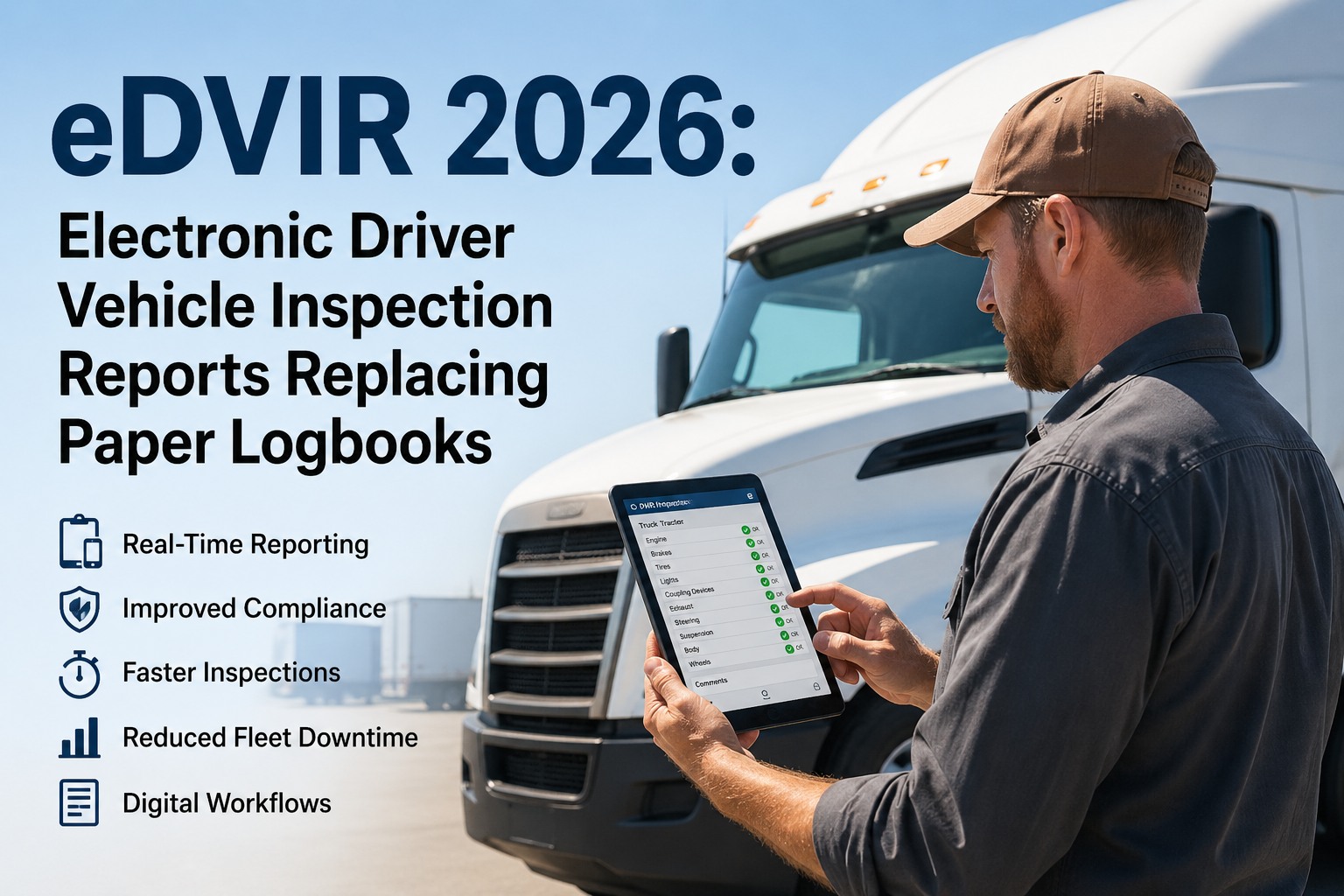
FMCSA estimates that proper DVIRs prevent approximately 14,000 accidents every year through early defect identification — yet only 7% of motor carriers pass a focused compliance review without a single DVIR-related violation. On February 19, 2026, FMCSA published a final rule (Docket FMCSA-2025-0115) explicitly authorizing electronic DVIRs, effective March 23, 2026, removing any remaining ambiguity about digital inspection reports. The American Trucking Associations, Owner-Operator Independent Drivers Association, and National Tank Truck Carriers all supported the rulemaking. Paper DVIRs are still legal — but they produce no usable data, create filing cabinets full of illegible checkmarks, and fail audits even when the underlying inspections were performed correctly. Electronic DVIR apps transform a compliance burden into an operational advantage: guided walk-around checklists that ensure every inspection item is covered, photo-verified defect documentation that eliminates "he said / she said" disputes, automated defect-to-repair chains that satisfy the FMCSA-required 3-signature workflow (driver reports → carrier repairs → next driver acknowledges), and instant audit retrieval that turns a DOT compliance review from a four-hour paper chase into a 10-minute search. This guide covers what to look for in an eDVIR app, how the features that matter most connect to compliance outcomes, the regulatory framework that governs electronic inspections, and why HVI was purpose-built for heavy vehicle inspection compliance.
What an Electronic DVIR App Must Do: The FMCSA Compliance Chain
An eDVIR app is only as good as its ability to enforce the complete FMCSA inspection workflow — not just capture a checklist. The regulation requires a documented chain of accountability across three parties: the inspecting driver, the carrier's maintenance team, and the next driver. Breaking any link in this chain during a DOT audit results in a citation. The best eDVIR apps make it structurally impossible to break the chain.
1
Driver Inspects & Reports
49 CFR 396.11 / 396.13
Driver inspects all 11 FMCSA component categories during walk-around. Any defects or deficiencies affecting safe operation are documented on the DVIR with description, severity, and evidence. Driver signs and dates the report.
App requirement: Guided checklist matching walk-around order (not alphabetical), photo/video capture per defect, severity classification, GPS and timestamp auto-capture, digital signature.
2
Carrier Repairs & Certifies
49 CFR 396.11(c)
Maintenance team receives the defect report, performs repair, and the carrier official or mechanic certifies on the original DVIR that defects are repaired or deemed unnecessary. Vehicle cannot be dispatched until certification is complete.
App requirement: Real-time defect notification to maintenance, work order generation, mechanic sign-off on original DVIR record, dispatch block until repair certification complete.
3
Next Driver Reviews & Acknowledges
49 CFR 396.13
Before operating the vehicle, the next driver reviews the most recent DVIR, confirms they've reviewed repair status, and signs the acknowledgment. This completes the 3-signature chain that FMCSA auditors verify.
App requirement: Automatic presentation of prior DVIR with defects and repair status during next driver's pre-trip. Signature required before inspection can proceed. Missing acknowledgment = blocked workflow.
14,000
Accidents prevented annually by proper DVIR compliance (FMCSA estimate)
93%
Of carriers cited during focused compliance reviews — only 7% pass clean
$1,270-$16,000+
Fine range per DVIR violation (missing signatures, incomplete reports)
3 months
Minimum DVIR retention (90 days) — digital storage enables indefinite retention
HVI automates the complete 3-signature chain: driver checklist → defect alert → work order → mechanic sign-off → next-driver review — all enforced digitally so no link can be missed.
Book a demo to see the complete chain in action. Or
start free.
Essential Features: What Separates Good eDVIR Apps from Great Ones
Every eDVIR app offers a digital checklist. That's table stakes. The features that actually drive compliance outcomes, reduce downtime, and improve CSA scores go far beyond the form itself. Here's the feature hierarchy — from must-have compliance requirements to differentiators that create operational advantage.
Must-Have: Compliance Requirements
Without these, the app doesn't meet FMCSA standards.
11-item FMCSA checklist coverage — All component categories from 396.11: parking brake, steering, lights, horn, wipers, mirrors, coupling, wheels/tires, body, emergency equipment, and other (carrier-defined items)
3-signature workflow enforcement — Driver report → carrier repair certification → next-driver acknowledgment. All three signatures captured digitally with timestamps
Vehicle identification on every report — Unit number, make, model, VIN, license plate auto-populated from fleet database
Defect documentation — Description, severity, location on vehicle. Minimum: text description. Better: photo + annotation + severity classification
90-day retention with instant retrieval — DVIR records accessible and exportable within seconds for DOT audit or roadside inspection
iOS and Android mobile support — Works on driver's existing smartphone or fleet-provided device without specialized hardware
High Value: Operational Advantage
These features turn compliance into operational intelligence.
Photo and video capture per defect — Timestamped, GPS-tagged visual evidence. Eliminates ambiguity, accelerates maintenance response, strengthens litigation defense
Guided walk-around order — Checklist follows logical inspection sequence (exterior front → driver side → rear → passenger side → cab) rather than alphabetical list. Reduces missed items
Real-time defect alerts — Instant push notification to maintenance manager, shop foreman, or fleet manager when defects are reported. Severity-based routing
Auto-generated work orders — Defect reported → work order created automatically with photos, severity, vehicle ID, driver notes. No re-entry required
Customizable templates by vehicle type — Different checklists for tractor, trailer, reefer, straight truck, bus, yard equipment. Inspection items mapped to each asset type
Missed inspection alerts — Dashboard shows which vehicles and drivers have not completed required inspections. Flag non-compliance before it becomes a violation
Differentiator: Competitive Advantage
These features separate best-in-class platforms from basic compliance tools.
Defect trend analytics — Track recurring defects by component, vehicle, driver, or route. Identify patterns before they become roadside violations
CSA score integration — Link DVIR data to CSA Vehicle Maintenance BASIC scoring, including the 2026 "Standard" vs. "Driver Observed" split
Maintenance system integration — Connect eDVIR defects to PM scheduling, parts inventory, and fleet maintenance KPIs (MTBF, MTTR, completion rates)
Multi-asset combination support — Tractor + trailer + reefer as a linked inspection set. Combinations change daily; the app handles asset pairing seamlessly
Offline capability — Full inspection completion without cell signal. Auto-sync when connectivity returns. Essential for remote yards and rural routes
QR/barcode scan for asset identification — Scan vehicle QR code to auto-populate asset details and load correct template. Eliminates wrong-vehicle errors
How HVI Was Built for Heavy Vehicle Inspection
HVI's digital inspection platform delivers every must-have, high-value, and differentiator capability in a single mobile app — purpose-built for heavy vehicle fleets running tractors, trailers, reefers, buses, and specialty equipment. The platform was designed around the inspection workflow, not bolted onto an ELD or telematics system as an afterthought.
Complete 3-Signature Chain
The full FMCSA workflow is enforced automatically. Driver reports defect → maintenance receives instant alert → mechanic completes repair and signs off → next driver sees the defect and repair status during pre-trip and must acknowledge before proceeding. No link can be skipped. No paper can get lost between driver seat and maintenance shop.
Photo-Verified Inspections
Every defect includes timestamped, GPS-tagged photos. Visual evidence eliminates ambiguity between "minor scratch" and "structural crack," accelerates maintenance response with exact defect location, and creates litigation-grade documentation. Photos are embedded in the DVIR record — not saved in a separate folder that gets disconnected.
Vehicle-Type Templates
Separate, customizable checklists for every asset type in your fleet. Tractor: 37+ checkpoint items covering engine, brakes, steering, lights, tires, cab, mirrors, coupling. Trailer: 28+ items covering brakes, tires, lights, reflective tape, landing gear, frame, doors, cargo securement. Reefer, straight truck, bus, yard equipment — each with purpose-built templates.
Multi-Asset Combinations
Drivers operating tractor + trailer + reefer combinations — where pairings change daily — complete linked inspections for each asset in a single workflow. Each asset maintains its own inspection history while the combination is documented as a unit. Simplifies the most complex DVIR scenario in heavy vehicle operations.
Instant Audit Retrieval
Every DVIR, repair certification, and driver acknowledgment is searchable by vehicle, driver, date range, or defect type — retrievable in seconds from any device. DOT auditors pull random DVIR samples and trace the signature chain; HVI produces the complete documented chain faster than the auditor can ask for it.
Defect-to-Repair Integration
DVIR defects automatically generate work orders with photos, severity, vehicle ID, and driver notes — routed to the right maintenance team based on defect type and location. Repair completion feeds back into the DVIR record, closing the loop. This is the defect-to-repair traceability that FMCSA auditors specifically check during compliance reviews.
HVI was purpose-built for heavy vehicle inspection — not adapted from a light-duty or ELD platform. See the complete eDVIR workflow, from driver walk-around to audit-ready records, in a live demo.
Book a demo. Or
start free today.
What to Evaluate When Choosing an eDVIR App
Not all eDVIR apps are created equal. Some are standalone inspection forms. Some are add-on modules in ELD or telematics platforms. Some are purpose-built inspection and maintenance systems. The right choice depends on your fleet's complexity, inspection volume, and how deeply you want eDVIR data to feed your maintenance operations.
01
Does It Enforce the 3-Signature Chain?
The #1 DVIR audit citation is missing signatures. Many apps capture the driver's report but don't enforce carrier repair certification or next-driver acknowledgment. Test this: create a defect, and see if the system blocks dispatch until repair is certified and next driver has signed. If it doesn't enforce the chain, it doesn't solve the compliance problem.
02
Is It Built for Heavy Vehicles?
A tractor-trailer DVIR is fundamentally different from a light-duty vehicle inspection. Multi-asset combinations (tractor + trailer + reefer), coupling device checks, air brake inspections, landing gear, reflective tape, cargo securement — these items don't exist in light-duty apps. Verify the app has vehicle-type-specific templates for every asset class you operate.
03
How Does It Handle Defect Routing?
A defect documented but not communicated is a defect that doesn't get fixed. The best apps route defects to maintenance instantly with severity-based alerts, auto-generate work orders, and track repair status through completion. Ask: does defect reporting trigger automatic maintenance action, or does someone have to manually check the system?
04
Can Drivers Complete Inspections Offline?
Yard facilities, rural truck stops, and remote job sites often lack reliable cellular coverage. An eDVIR app that requires constant connectivity fails exactly when drivers need it most. Verify full offline capability: complete inspection, capture photos, record defects — all without signal. Auto-sync when connectivity returns with no data loss.
05
Does It Integrate with Your Maintenance System?
eDVIR data is most valuable when it feeds your PM scheduling, defect trending, fleet maintenance KPIs, and CSA score tracking. Standalone inspection apps create data silos. Platforms that connect inspections to maintenance workflows — defect to work order to parts to completion to KPI — deliver exponentially more value than digital checklists alone.
06
What's the Driver Experience?
Adoption rate determines compliance rate. If the app is confusing, slow, or requires too many taps, drivers will rush through inspections or skip them. Test with your actual drivers — not just fleet managers. Look for: guided walk-around order, large tap targets for gloved hands, minimal typing (photo + tap severity), and under 10 minutes to complete a thorough inspection.
The 2026 eDVIR Regulatory Landscape
The regulatory environment for electronic DVIRs has never been clearer — or more favorable for digital adoption. Two major 2026 developments make the case for switching from paper to electronic unambiguous.
eDVIR Final Rule: Effective March 23, 2026
Docket FMCSA-2025-0115 | Federal Register Vol. 91, No. 33 | February 19, 2026
FMCSA published a final rule adding explicit eDVIR authorization language to 49 CFR 396.11 and 396.13. While electronic DVIRs were already permissible under 49 CFR 390.32 (general electronic records provision, effective since 2018), this rule removes all remaining ambiguity. Key provisions: electronic creation, maintenance, and signature of DVIRs is explicitly compliant; the rule does NOT reinstate no-defect DVIR reporting requirements even though eDVIRs make them faster to complete; and the explicit authorization is intended to encourage carriers still using paper to switch to electronic methods.
CSA Vehicle Maintenance BASIC Split: 2026
CSA Safety Measurement System Overhaul | Full Enforcement February 2026
The 2026 CSA overhaul splits Vehicle Maintenance into two separate categories: "Standard" (defects found during scheduled maintenance and shop inspections) and "Driver Observed" (defects that should have been caught during driver walk-around inspections). This means your DVIR quality directly impacts your CSA scores in a newly visible, separately weighted category. Fleets with thorough, documented eDVIR programs demonstrate systematic inspection compliance. Fleets with inconsistent paper DVIRs — or drivers who checkmark everything "pass" in 30 seconds — will see that reflected in their "Driver Observed" BASIC scores.
Signature chain enforcement
Manual — easily broken, commonly missed
Automated — structurally impossible to skip
Defect communication
Paper sits in cab or dispatch tray. Delay = hours to days
Instant push notification to maintenance team
Defect evidence
Handwritten description, often illegible or vague
Photo/video with GPS, timestamp, severity, annotations
Audit retrieval
Hours searching filing cabinets, unavailable for offsite audits
Search by vehicle, driver, date, defect type in seconds
Completion tracking
No way to know if inspections were missed until audit
Real-time dashboard showing completion rates and gaps
Defect trending
Impossible without manual data entry from paper forms
Automatic — recurring defects by component, vehicle, or route
CSA score impact (2026)
No data quality for "Driver Observed" BASIC defense
Documented, systematic inspection program for CSA review
eDVIR Final Rule Removes Last Barrier to Digital Adoption
FMCSA's February 2026 final rule (FMCSA-2025-0115, effective March 23, 2026) adds explicit eDVIR language to 396.11 and 396.13. While electronic DVIRs were permissible since 2018 under 390.32, many carriers hesitated without explicit regulatory language. That hesitation is now gone. FMCSA actively encourages carriers to switch to electronic, cost-saving methods.
CSA "Driver Observed" Split Makes DVIR Quality Directly Visible
The 2026 CSA overhaul creates a separate "Driver Observed" Vehicle Maintenance category. Roadside inspection violations attributable to items drivers should catch during walk-around (lights, tires, coupling, reflective tape) are now scored separately. This makes DVIR thoroughness a direct factor in CSA scores — and makes eDVIR data quality a competitive advantage for carriers with strong inspection programs.
Book a demo.
2-4 Week Transition: Paper to Digital Is Faster Than Expected
Most fleets complete the paper-to-digital eDVIR transition in 2-4 weeks. Setup involves configuring templates per vehicle type, mapping checklist items to walk-around order, setting defect routing rules, and training drivers (typically a single session). Driver adoption is high because eDVIR apps reduce inspection time compared to paper while producing better documentation.
No-Defect DVIR Reporting Not Reinstated
Despite industry discussion, FMCSA confirmed it will NOT require no-defect DVIR reporting — even though eDVIRs make such reports faster to complete. For property-carrying CMVs, if no defects are found, no DVIR is required (though a pre-trip inspection under 392.7 is still mandatory). Passenger-carrying CMVs must always file a DVIR regardless of defect status.
The Form Is Not the Point — The Chain Is
An electronic DVIR app isn't about replacing a paper checklist with a digital one. It's about enforcing the complete FMCSA chain of accountability — driver reports, carrier repairs, next driver acknowledges — with photo-verified evidence, instant defect communication, automated work orders, and audit-ready records. The 2026 regulatory landscape makes this clearer than ever: explicit eDVIR authorization, CSA scoring that directly reflects inspection quality, and auditors who expect instant document retrieval. The 93% of carriers who get cited in compliance reviews aren't failing because they don't inspect their vehicles — they're failing because the documentation chain is broken. An eDVIR app that enforces every link in that chain is the difference between being in the 93% and the 7%.
See HVI's eDVIR Platform in Action
Purpose-built for heavy vehicle fleets. Guided walk-around checklists, photo-verified defects, automated 3-signature chain, instant audit retrieval, and maintenance integration — all in one mobile app.
Frequently Asked Questions
Q: Are electronic DVIRs accepted by FMCSA?
Yes — electronic DVIRs have been permitted under 49 CFR 390.32 since 2018. On February 19, 2026, FMCSA published a final rule (effective March 23, 2026) adding explicit eDVIR authorization language to 396.11 and 396.13, removing any remaining ambiguity. The rule was supported by ATA, OOIDA, and NTTC. FMCSA actively encourages carriers to adopt electronic methods.
Start free with HVI.
Q: What must an electronic DVIR include to be compliant?
All 11 FMCSA component categories (parking brake, steering, lights, horn, wipers, mirrors, coupling, wheels/tires, body, emergency equipment, other), vehicle identification (unit number, make, model, VIN, license plate), defect descriptions for any items affecting safe operation, driver signature and date, carrier repair certification (if defects reported), and next-driver acknowledgment signature. The 3-signature chain must be complete and documented.
Q: How long must DVIR records be retained?
FMCSA requires minimum 3-month (90-day) retention from the date of inspection. Annual inspection reports must be retained for 14 months. Best practice: retain all DVIRs for 1+ year. Digital storage makes extended retention virtually cost-free and provides significantly better audit readiness and litigation defense than the 90-day minimum.
Q: What are the most common DVIR violations during audits?
The #1 citation is missing signatures — auditors pull random DVIR samples and check all three signatures in the chain. Other common violations: DVIR reports defect but no linked repair certification, vehicle dispatched before carrier certifies repair completion (fines up to $23,048), vague defect descriptions ("brake issue" instead of specific location and condition), and incomplete vehicle identification. Electronic DVIRs with enforced workflows prevent most of these violations structurally.
Q: Do drivers still need to file a DVIR if no defects are found?
For property-carrying CMVs (trucks, trailers): no DVIR is required if no defects or deficiencies are found — but the driver must still perform a pre-trip inspection under 49 CFR 392.7 and be satisfied the vehicle is safe to operate. For passenger-carrying CMVs (buses): a DVIR must be filed regardless of whether defects are found. FMCSA confirmed it will not reinstate no-defect reporting requirements even with eDVIR adoption.
Q: How does the 2026 CSA split affect DVIR importance?
The CSA overhaul splits Vehicle Maintenance into "Standard" (shop-detected defects) and "Driver Observed" (defects drivers should catch during walk-around). This means your inspection thoroughness directly affects your CSA score in a newly visible category. Fleets with documented, systematic eDVIR programs can demonstrate inspection quality during CSA reviews. Fleets with inconsistent paper DVIRs have no data to defend their "Driver Observed" score.